Collection: Point Pod
Point Pod · USA
Point Pod Connect, the pop-up outlet hidden in your countertop
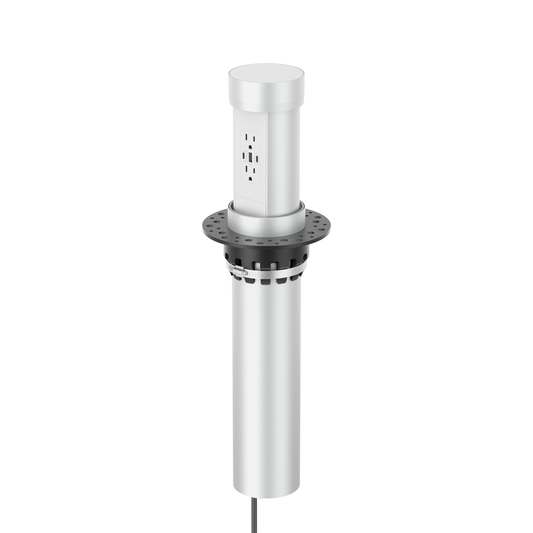
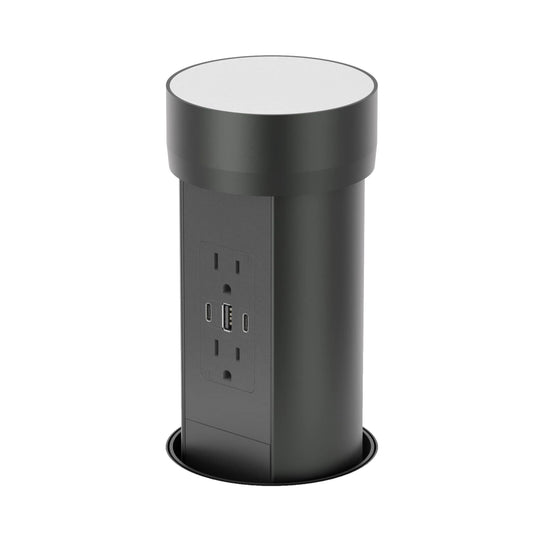
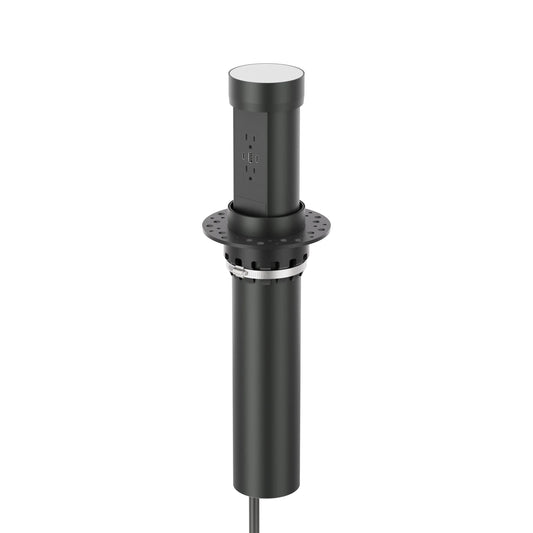
Point Pod is a motorized pop-up outlet whose top holds a disc of your own stone or quartz, so when it’s closed only a slim ring shows. In the US it’s Point Pod Connect, in silver or black, plugged into a GFCI-protected outlet below.
Quick answers
What is a Point Pod?
A motorized pop-up outlet topped with your own countertop. Closed, only a slim ring shows; press the top and it rises 6 11/16″ with two outlets and USB. In the US it’s sold as Point Pod Connect.
What does it need?
A 4″ hole and 19″ clear below, in a countertop ½″ or thicker (there’s no maximum), with a GFCI-protected outlet within reach of its 6 ft cord.
15W or 65W USB?
65W if you’ll charge laptops. The 15W models have two USB-C ports and a USB-A sharing 15W; the 65W models have two USB-C PD ports, up to 65W from one.
Is it allowed in a kitchen countertop?
It’s ETL listed to UL 962A and marked “suitable for installation in a kitchen countertop surface”. On an inspected build, show your inspector the listing first; we’ll send it.


Need help choosing?
New to Point Pod?
Our guide covers how it works, the specs and how it’s installed. Or send us a photo of your countertop and we’ll help.

Planning
How the stone top works
Your fabricator cuts a 4″ hole and a matching disc from the same slab, finished to 3.66″ (93 mm) and up to 1 3/16″ (30 mm) thick. The disc sits in the top cup, so the closed outlet shows your countertop with a slim ring around it. Check for 19″ of clear depth and a GFCI-protected outlet below before anyone cuts.
- The Point Pod guide: how it works and which model to pick
- How to install the Point Pod, step by step
- Maximum countertop thickness for Point Pods and inserts
- Point Pod troubleshooting: won’t rise, no power, sagging
Questions
Point Pod FAQs
Where can I buy a Point Pod in the US?
Here, online: Point Pod Connect in silver or black, each with 15W or 65W USB. Shipping is free to most US addresses, and most orders dispatch from Texas within one business day.
Is Point Pod Connect approved for kitchen countertops?
It’s ETL listed to UL 962A and marked “suitable for installation in a kitchen countertop surface” after Intertek’s countertop spill test. It plugs into a GFCI receptacle under the counter, and it’s installed in kitchen islands every day. UL groups plug-in units with furniture power, though, so on an inspected build show your inspector the listing first; email us and we’ll send it. If hardwiring is required, Hubbell’s countertop receptacles (UL 498) are the alternative. More in our kitchen island outlet code guide.
What is the maximum countertop thickness for a Point Pod?
There’s no maximum: it fits countertops ½″ or thicker, because the mounting flange fixes underneath. The disc in its top can be up to 1 3/16″ (30 mm) thick, so a thicker one is trimmed down, and the unit needs 19″ of clear depth from the top of the countertop. More on thickness.
Do I need an electrician?
Not for the unit itself: it plugs into a GFCI-protected outlet under the countertop with its 6 ft cord. If there’s no outlet there, a licensed electrician needs to add one. Don’t use an extension cord.
Where are the Point Pod install instructions and data sheet?
The Point Pod Connect install manual (PDF) covers both colors. Our install guide has the six steps and the video, and the PPCV815 and PPCV815B guide lists the sizes and model numbers.


-
PPCV815XX
Point Pod Connect Silver Kitchen Counter Pop Up Outlet
Vendor:Point PodRegular price From $589.00 USDRegular price -
PPCV815XX
Point Pod Connect Black Kitchen Counter Pop Up Electrical Outlet
Vendor:Point PodRegular price From $589.00 USDRegular price -
PPHSU
4-Inch Hole Saw for Point Pod (5/8-11)
Vendor:Point PodRegular price $102.00 USDRegular price